Corrections (employee)
At a glance
Section titled “At a glance”Corrections is the tab where you ask a manager to fix a punch you missed or got wrong, and where you see what became of each request.
The screen
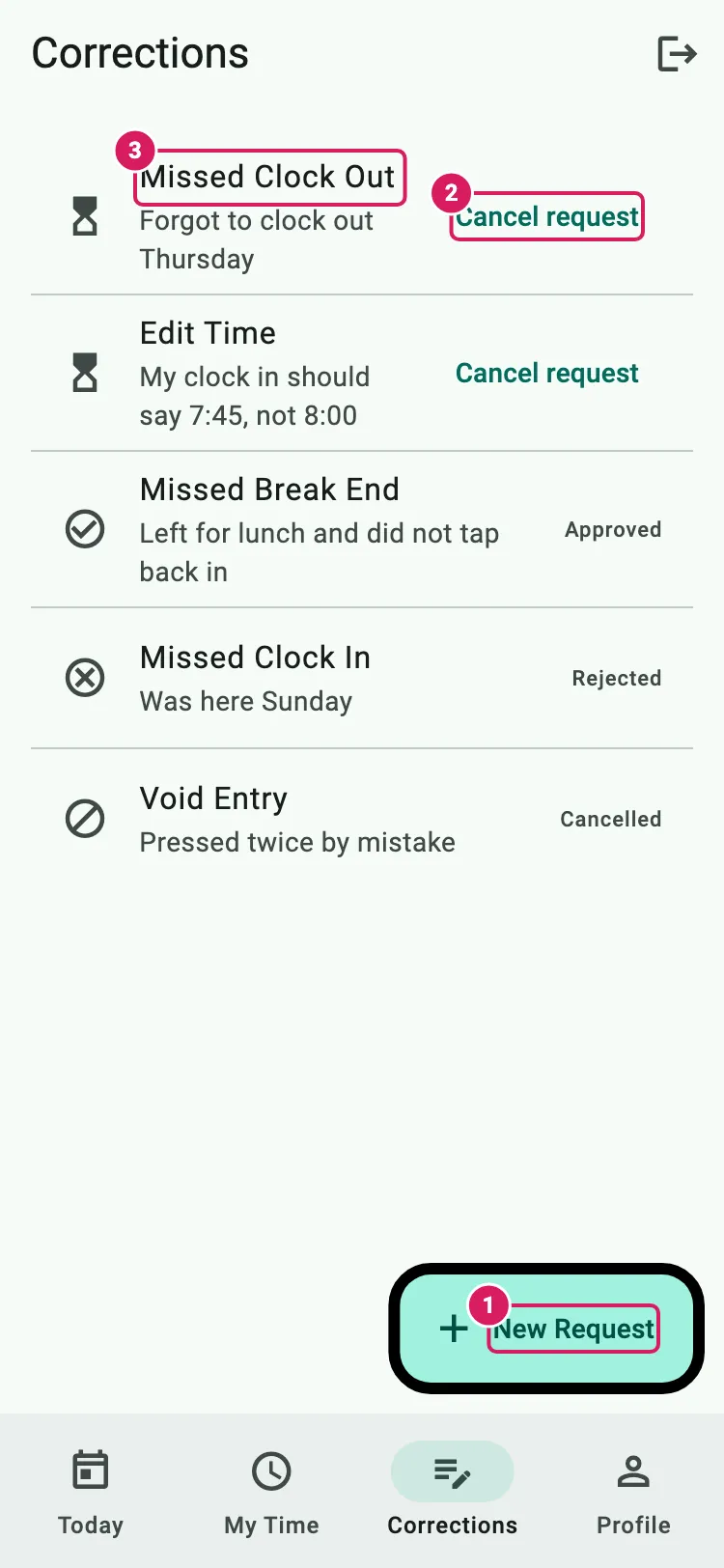
Section titled “The screen”The tab lists your requests and has a button to start a new one. Each request shows its type, the date and time you gave, your reason and its state.
Parts of the screen
Section titled “Parts of the screen”- The New Request button.
- The Cancel request button, on a request that is still waiting.
- The type of a request, for example Missed Clock Out.
Options and filters
Section titled “Options and filters”None. Every request you made is in the list.
Actions
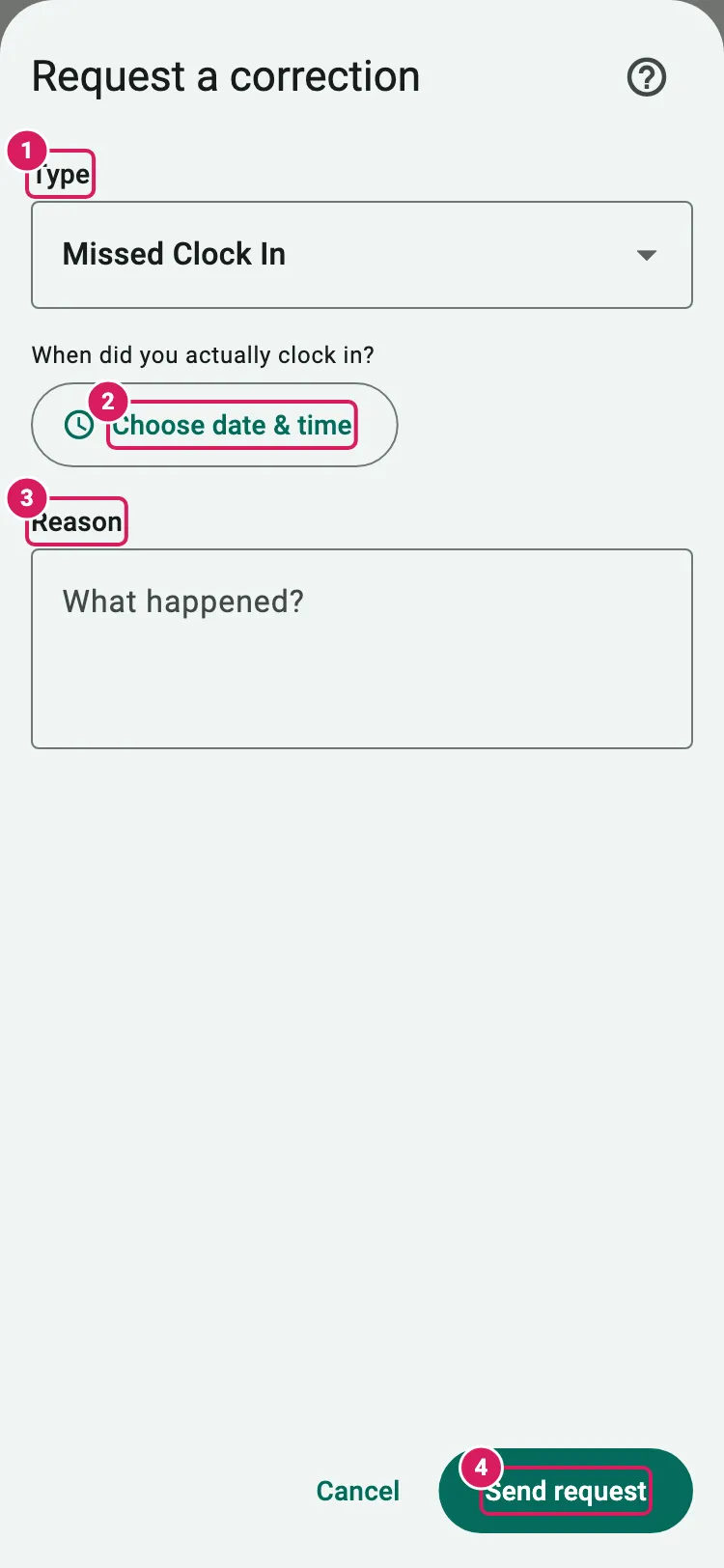
Section titled “Actions”- New Request opens the form: Type, Choose date & time, Reason and Send request.
- Cancel request asks why you are cancelling. Touch Keep request to leave the request as it is.
Colours, icons and badges
Section titled “Colours, icons and badges”Each state has an icon and a word: an hourglass for a request waiting, a check for approved, a cross for rejected, a block for cancelled. A waiting request shows Cancel request in place of a state word.
Phone and desktop
Section titled “Phone and desktop”This tab is part of the Employee Mobile app, made for a phone.
Common questions
Section titled “Common questions”Can I cancel after a manager decided? No. Only you can cancel, and only while the request is waiting.
The list is empty. The app says "No correction requests yet." until you send one.