Kiosks (settings)
At a glance
Section titled “At a glance”Settings, Kiosks is where a manager chooses how employees identify themselves at the kiosks, sets the PIN lockout and the offline punches switch, and manages the tablets. You need permission to manage kiosks.
The screen
Section titled “The screen”The page has three settings above the list of kiosk devices. The identification choice applies to every kiosk of the company.
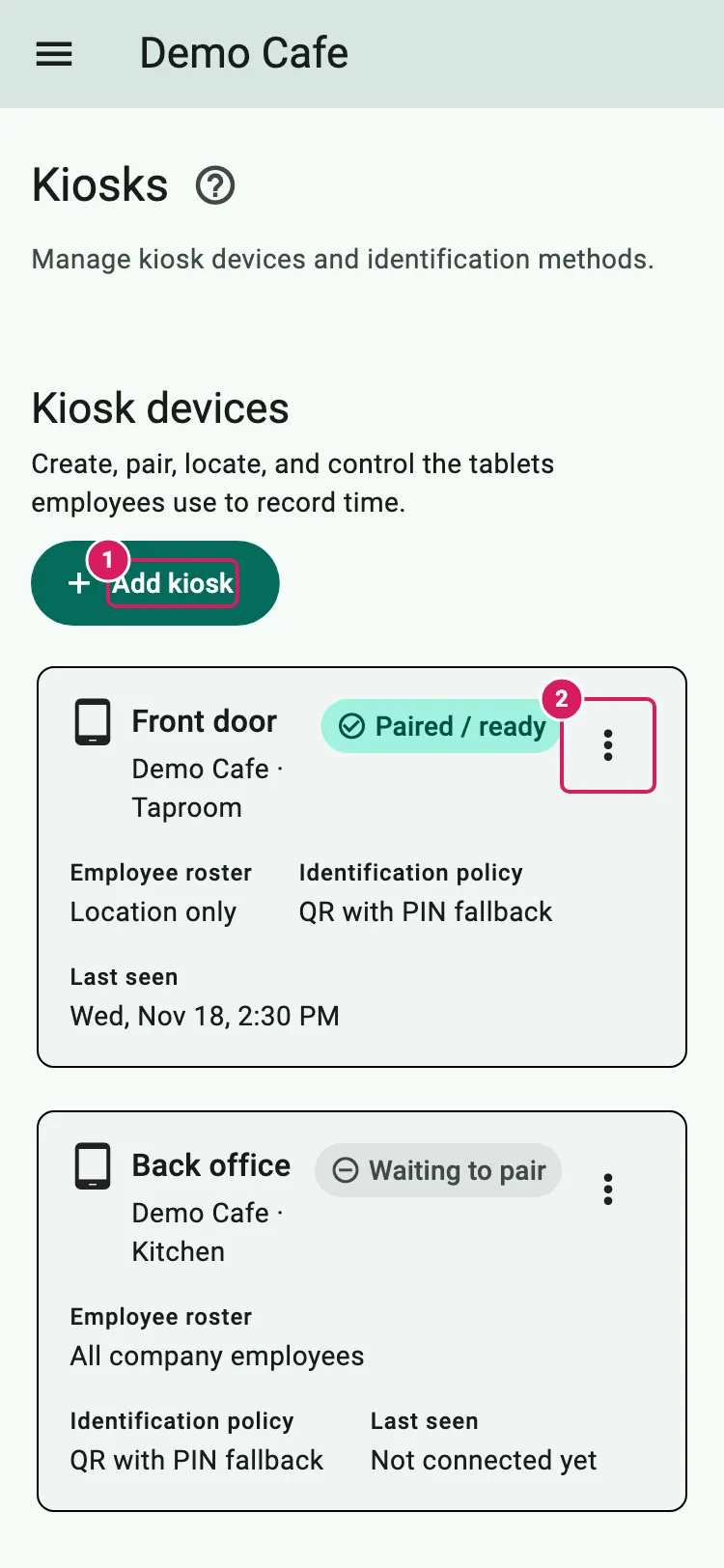
Parts of the screen
Section titled “Parts of the screen”- The Add kiosk button creates a kiosk and shows its pairing code.
- The Kiosk actions menu of each kiosk.
Options and filters
Section titled “Options and filters”- Identification: QR only, PIN only or QR with PIN fallback. A new company starts with PIN only. The choice is saved as soon as you pick it.
- PIN lockout: Max attempts and Lockout (minutes), then Save PIN lockout. The standard is 5 attempts and 15 minutes. Attempts can be 1 to 20 and the lockout 1 to 1440 minutes. A wrong-PIN lock applies to that employee on every kiosk.
- Offline punches: a switch that is off until you turn it on, and then a window, Offline punches up to this many hours old, of 1, 2, 4, 8, 12, 24, 48 or 72 hours (24 to start). Every change asks you to confirm.
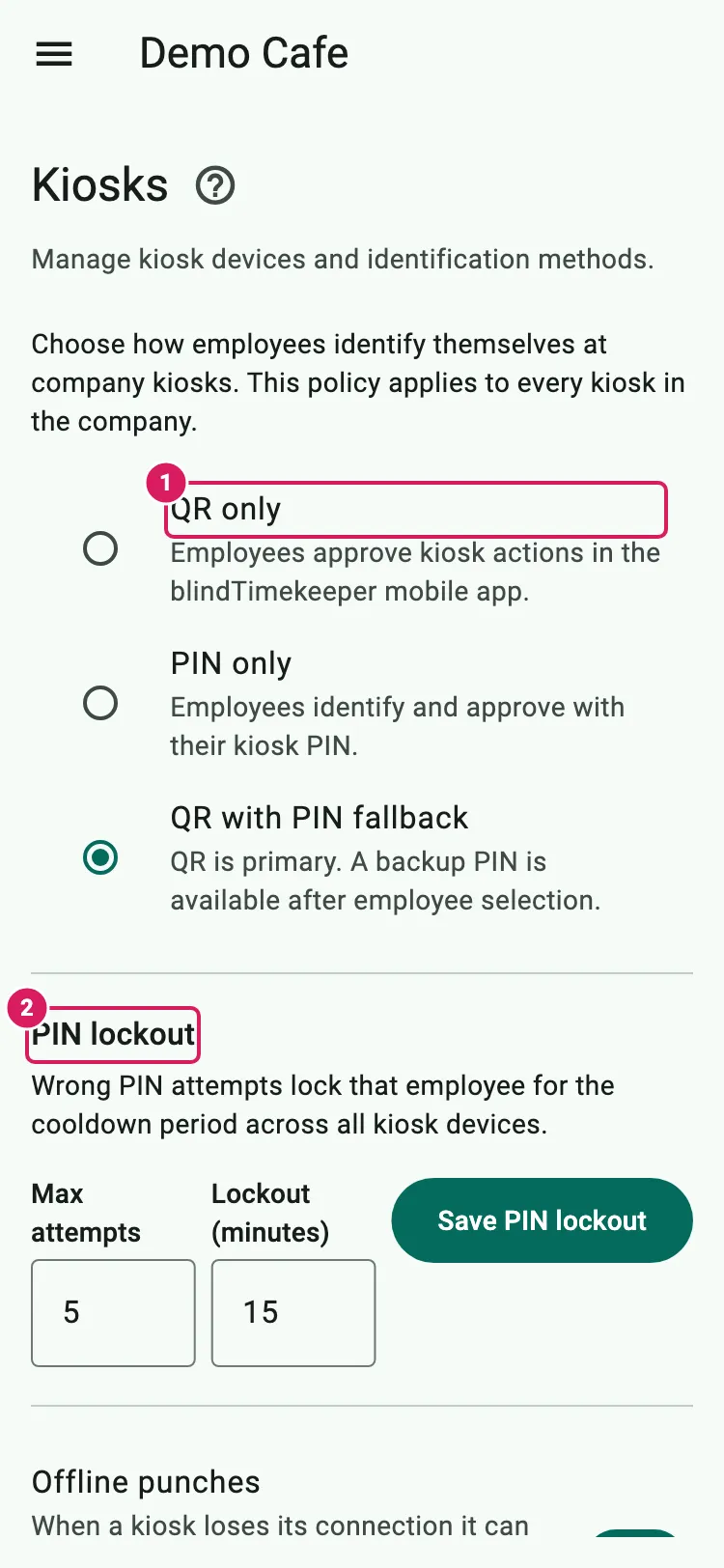
Actions
Section titled “Actions”- Add kiosk: enter the Kiosk name, choose an active Location and the Employee roster (Location only or All company employees), then Save kiosk.
- In Kiosk actions: Edit kiosk; Pair kiosk for a kiosk waiting to pair, or Re-pair kiosk; and Revoke kiosk, which is not shown once a kiosk is revoked.
- Revoking asks you to confirm. The kiosk then stops loading employees and recording punches until it is paired again.
Colours, icons and badges
Section titled “Colours, icons and badges”Each kiosk card shows a badge in words: Waiting to pair, Paired / ready or Revoked. It also shows its place, the Employee roster, the Identification policy and Last seen (or Not connected yet).
Phone and desktop
Section titled “Phone and desktop”The same controls appear on every width; the device cards stack on a phone.
Common questions
Section titled “Common questions”Can I set the limit that locks a whole tablet after many wrong PINs? Not on this page.
Why can a kiosk without a connection not take punches? Turn on Offline punches. With QR only a kiosk always needs a connection.