The offline rule and the first-day rule
At a glance
Section titled “At a glance”- Time: a few minutes to set up, then nothing to do each day.
- Who: a manager sets it up and decides held punches; employees punch as usual.
- Difficulty: medium.
Purpose
Section titled “Purpose”Let a kiosk keep taking punches when its connection drops, without ever losing one or accepting one that cannot be trusted.
Ingredients
Section titled “Ingredients”- Permission to manage kiosks, and a paired kiosk.
- The Offline punches switch, which is off until a manager turns it on.
- For the review step, access to the Offline punches tab of Review.
Expected result
Section titled “Expected result”A punch made without a connection is saved on the tablet with its time and sent when the connection returns. A punch the server can check becomes a normal time entry. A punch it cannot check waits in Review until a manager decides it. It does not count until a manager accepts it.
- Turn the setting on: in Settings, Kiosks, switch on Offline punches and confirm. The window, Offline punches up to this many hours old, is how old a saved punch can be.
- On a new or re-paired tablet, have each employee clock in or out once while the tablet is online. This is the first-day rule below.
- When the connection drops, employees punch as usual and read the message on the screen.
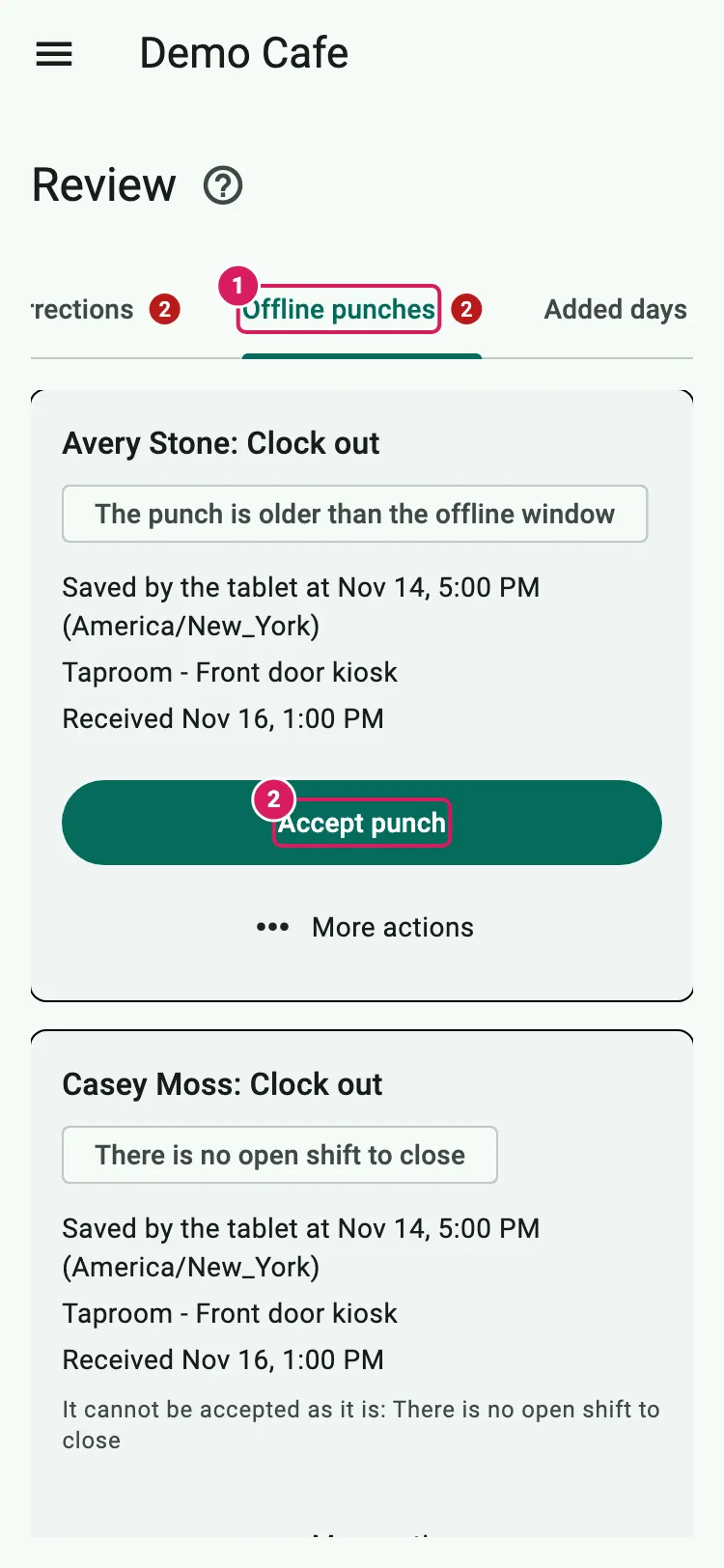
- Open Review and the Offline punches tab. For each held punch, choose Accept punch, Accept with a changed time or Reject punch.
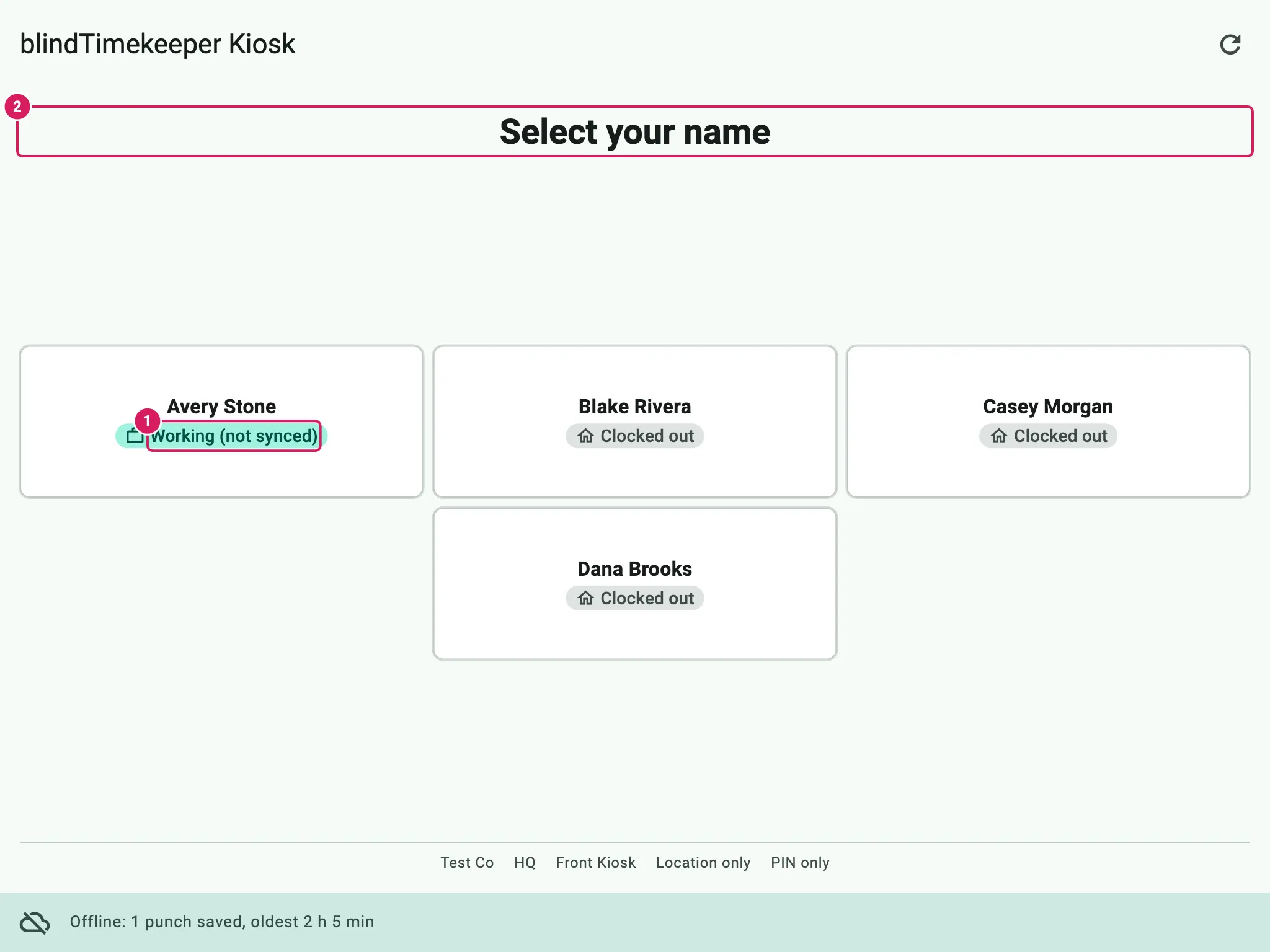
While punches wait on the tablet, a bar at the bottom of the kiosk counts them and says how old the oldest is. After they are sent, a note at the top says how many were accepted and how many went to a manager.
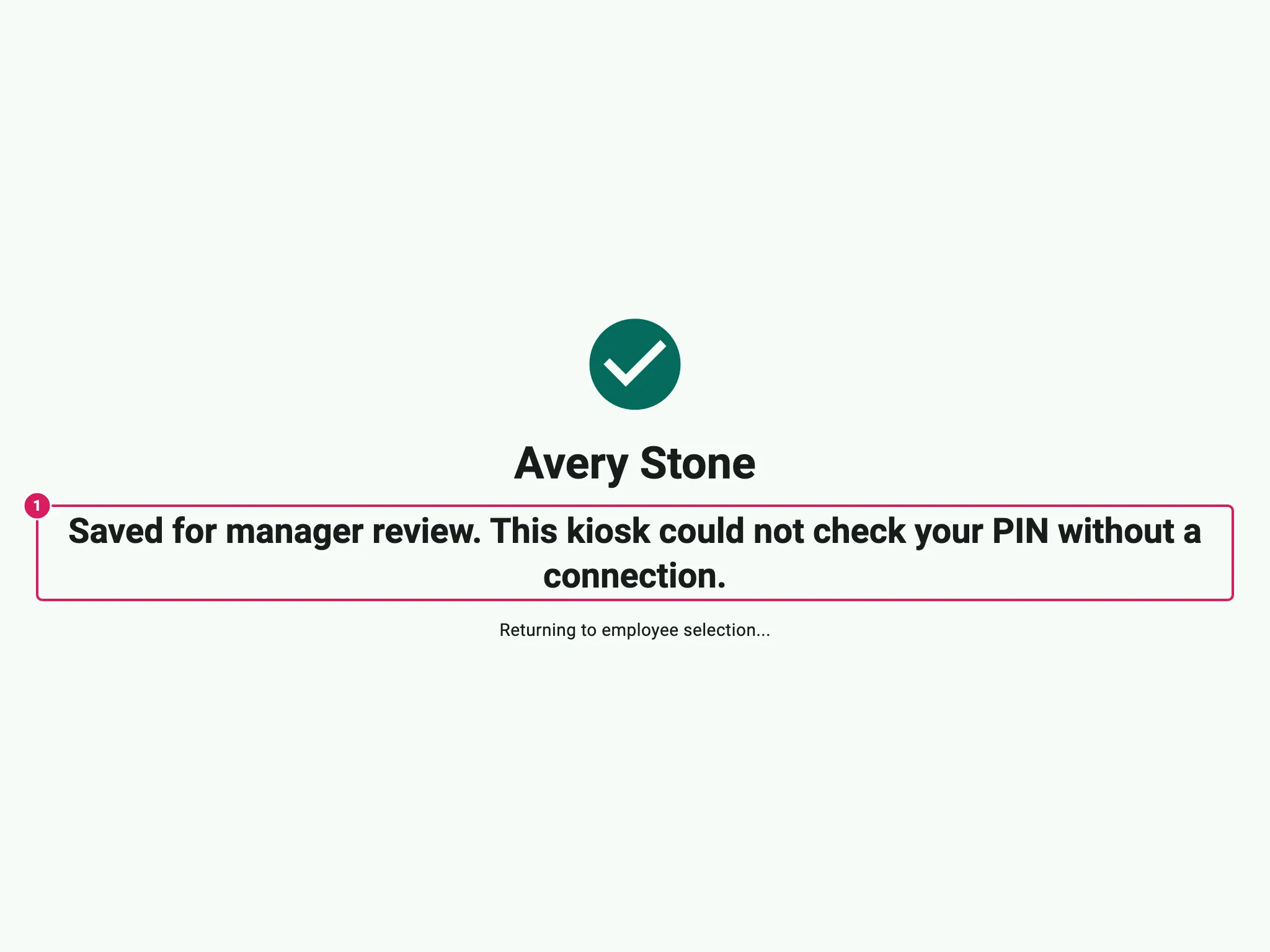
What the employee reads after an offline punch:
- "Saved on this kiosk at ... It will sync when the connection returns." The punch was checked on the tablet.
- "Saved on this kiosk at ... The kiosk clock could not be checked, so a manager may review it." The punch is kept and may be reviewed.
- "Saved for manager review. This kiosk could not check your PIN without a connection." The punch waits in Review.
Review shows, for each held punch, why it needs review. Some reasons are: the tablet had no PIN check for this employee, the PIN changed after the tablet last synced, the punch is older than the offline window, the tablet clock looked wrong.
Check your work
Section titled “Check your work”After a connection comes back the bottom bar disappears from the kiosk. Review shows every punch that could not be checked, each with its reason, and nothing that was made offline is lost.