Profile
At a glance
Section titled “At a glance”Profile shows what your company keeps about you and lets you change three things: the language of the app, your contact email and your kiosk PIN.
The screen
Section titled “The screen”At the top is the language choice. Under it are your name, your status, your hire date, your position and your location, then your email and your kiosk PIN.
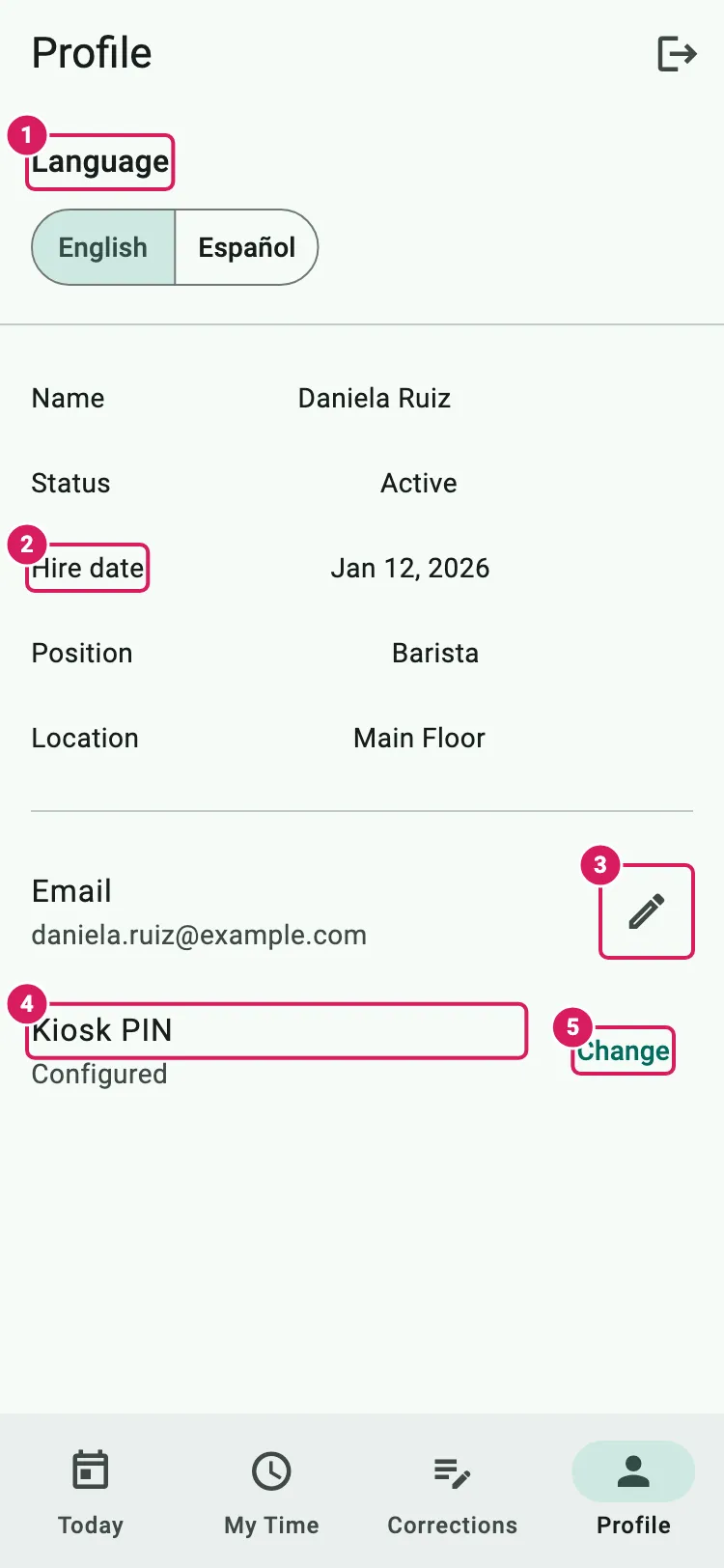
Parts of the screen
Section titled “Parts of the screen”- Language: choose the language of the app.
- Hire date: the day you started. You cannot change it here.
- Edit email: opens the form for your contact email.
- Kiosk PIN: the state of your PIN, which can be Configured, Not set or locked until a time.
- Change: opens the form for your PIN. It reads Set PIN when you have none.
Options and filters
Section titled “Options and filters”None.
Actions
Section titled “Actions”- Touch a language to switch at once. The app remembers your choice on this phone.
- Edit email opens a form with the note "This is contact info on file. It does not change the email you sign in with." Write the email and touch Save email.
- Change (or Set PIN) opens the PIN form: your Current PIN (not asked when you have none), the New PIN of 6 to 12 digits, and Save PIN.
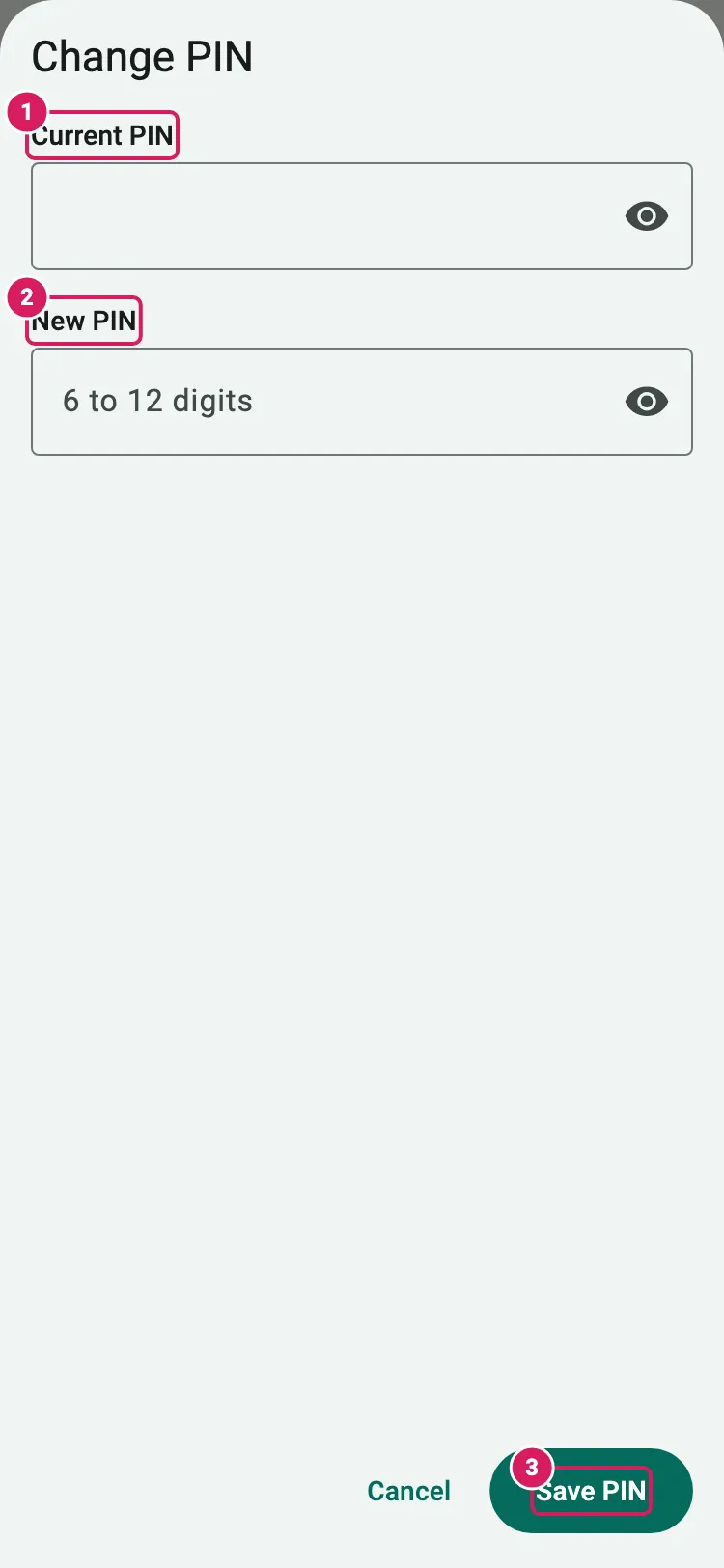
Colours, icons and badges
Section titled “Colours, icons and badges”The PIN line says its state in words. When your PIN is locked it says "Locked until" and the time, and Change is off until then.
Phone and desktop
Section titled “Phone and desktop”This tab is part of the Employee Mobile app, made for a phone.
Common questions
Section titled “Common questions”Can I change my name, hire date, position or location? No. Ask your manager.
Does my new email change how I sign in? No. It is a contact email on file.
Why is Change off? Your PIN is locked after too many wrong PINs, at the kiosk or in this form. It opens again at the time the line shows. A manager can also unlock it.
Does the language change for everyone? No. It is the language of the app on this phone.