Set the pay rules and the company country
At a glance
Section titled “At a glance”- Time: about ten minutes.
- Who: a manager who may manage payroll.
- Difficulty: medium. Decide the values with whoever does your payroll before you start.
Purpose
Section titled “Purpose”Tell blindTimekeeper how your company is paid: how often, from which date, when time becomes overtime, which breaks are not paid, and the country that sets how dates and numbers are written. Payroll, the labor cost report and the daily figures all read these rules.
Ingredients
Section titled “Ingredients”- Permission to manage payroll.
- Your pay frequency and the first day of a pay period.
- The overtime rule you follow: a weekly limit in hours, a daily limit, and the multiplier, for example 1.5.
- Which kinds of break you do not pay.
- The two-letter code of your country, for example PA.
Expected result
Section titled “Expected result”Payroll Rules shows your values, the pay periods on the Payroll page follow them, and the figures that the payroll calculation gives use your overtime rule.
- Open Settings, then Payroll Rules.
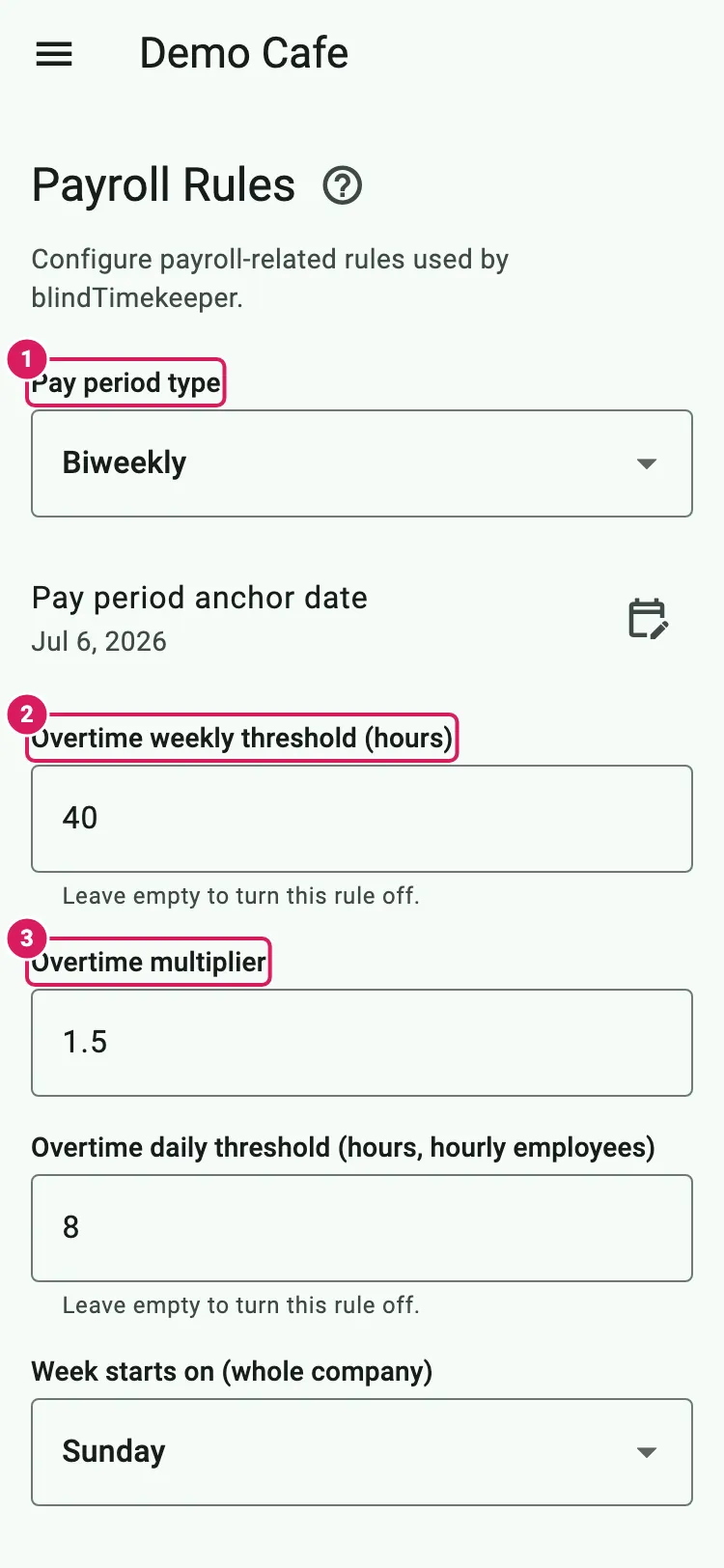
- Choose the Pay period type. For Weekly, Biweekly and Monthly, set the Pay period anchor date to the first day of a pay period. Twice a month (1st-15th, 16th-end) needs no anchor.
- Fill in Overtime weekly threshold (hours), Overtime daily threshold (hours, hourly employees) and Overtime multiplier. Leave a threshold empty if you do not use that rule.
- Choose the first day of the week in Week starts on (whole company), and set Standard week (hours) for salaried employees.
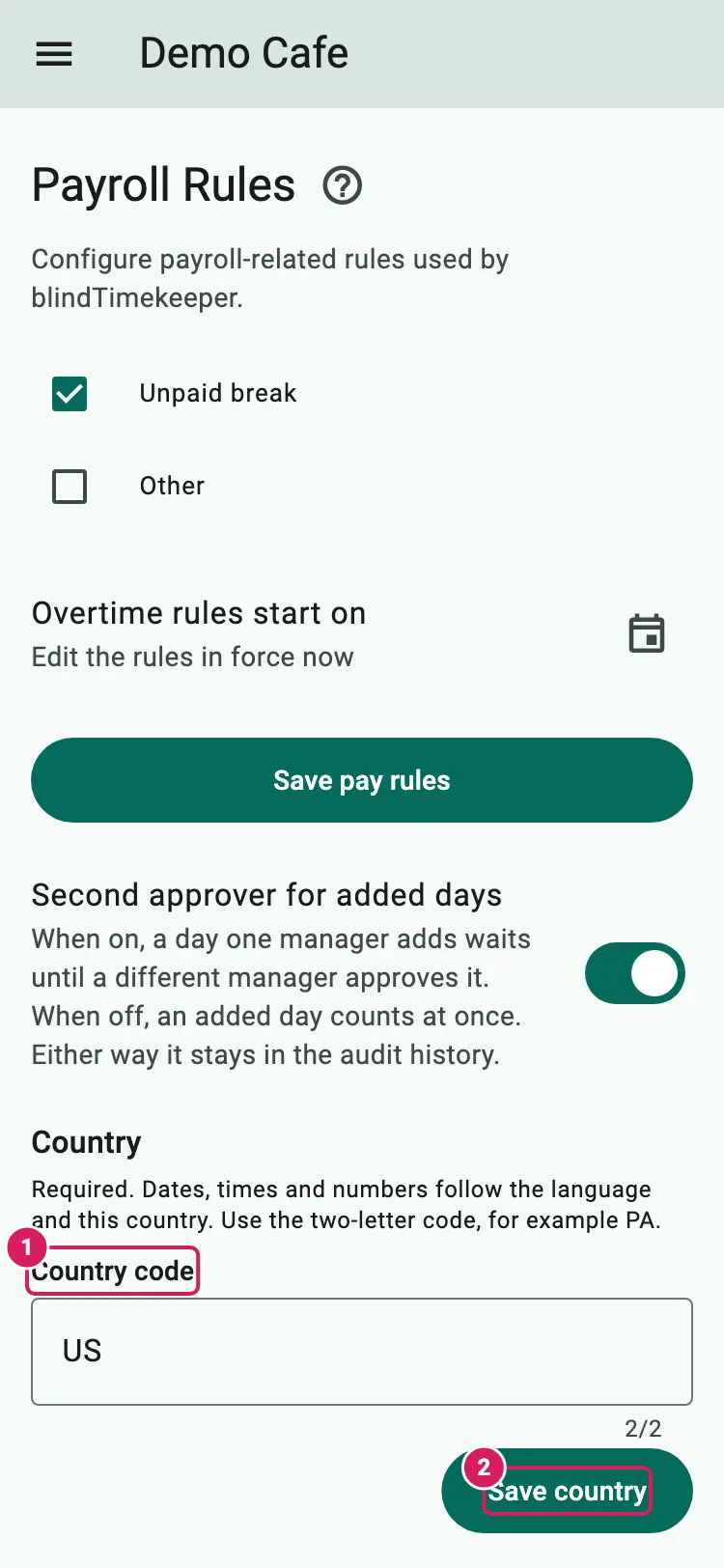
- Tick the kinds of break that are unpaid under Breaks that are unpaid.
- Leave Overtime rules start on as Edit the rules in force now for a new company. To change rules later, choose the date they start.
- Touch Save pay rules, read the changes in "Save these pay rules?" and touch Save pay rules again. The page says "Payroll settings saved."
- Decide the Second approver for added days switch and, further down, type your Country code and touch Save country. The page says "Country saved."
Check your work
Section titled “Check your work”- Reopen Payroll Rules: the fields show what you saved.
- In Payroll, the pay periods start and end as you expect, and one period shows its dates.
- Dates and numbers are written the way your country writes them.
What next
Section titled “What next”- Payroll Rules, field by field
- Employees: give each employee a pay type and a rate
- Close a pay period and export it